
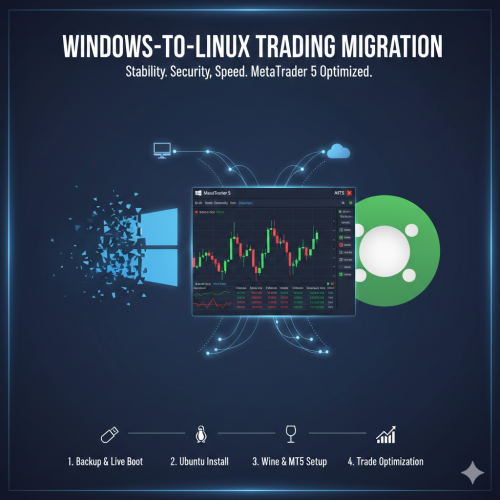
This service is designed for traders seeking the stability, security, and low-overhead of Linux.
We will remotely guide you through the decommissioning of Windows and the clean installation of Ubuntu LTS (Long Term Support).
Post-installation, we configure a specialized compatibility l...
Reduced Latency: Linux handles networking stacks more efficiently than Windows, potentially reducing execution lag.
System Stability: Eliminate forced Windows updates that can restart your computer in the middle of a trade.
Resource Efficiency: Ubuntu uses fewer system resources, leaving more CPU and RAM for your technical analysis and Expert Advisors (EAs).
We execute this migration through a structured, four-phase approach to ensure data safety and platform stability.
Since we are removing the host Operating System, we begin by creating a "bridge" to the new environment.
Backup Verification: We assist you in ensuring all MT5 templates, indicators, and EAs are backed up to an external drive or cloud.
Bootable Media Creation: We guide you in creating a Live Ubuntu USB using tools like Rufus or BalenaEtcher.
BIOS/UEFI Configuration: We provide instructions to change the boot order and disable "Secure Boot" if necessary.
Once the system boots into the Ubuntu installer:
Disk Partitioning: We perform a "Full Disk Erase" to remove all Windows partitions (NTFS) and replace them with the Linux-native ext4 file system.
Driver Optimization: We install proprietary drivers for your GPU (NVIDIA/AMD) and Network Interface Cards to ensure maximum throughput.
System Update: Running sudo apt update && sudo apt upgrade to ensure the kernel and security patches are current.
MetaTrader 5 is a Windows-native application. To run it on Ubuntu, we build a "Wine" prefix—a compatibility layer.
Repository Setup: We add the official WineHQ repositories to get the latest stable version.
Wine-Staging Installation: We install wine-staging and winetricks to handle specific Windows dependencies.
Library Configuration: Using winetricks, we install essential libraries like corefonts, vcrun2015, and gdiplus which prevent MT5 from crashing or displaying "blocky" text.
Installation: We execute the mt5setup.exe within the optimized Wine prefix.
Desktop Integration: We create a .desktop launcher so you can open MT5 directly from your dock or application menu.
Performance Tuning: We disable unnecessary GUI animations in Ubuntu to dedicate all GPU cycles to chart rendering.
Hardware: Minimum 4GB RAM (8GB recommended) and 64-bit CPU.
Connectivity: A stable internet connection for the initial 3GB Ubuntu download.
External Access: You will need a secondary device (phone or tablet) for our communication while the main PC is being formatted.
Your email address will not be published. Required fields are marked *
Please login to write review!
Looks like there are no reviews yet.
Take it to your cart